How to Write Good AI Prompts: The Complete Prompt Engineering Guide (2026)
A good prompt is the difference between a generic answer and exactly what you needed. This guide shows the six building blocks of a strong prompt, ten techniques from the official OpenAI, Google and Anthropic guides, real before-and-after rewrites, ready-to-use templates and how to prompt for images, video and music.
Who is this guide for? Anyone who uses ChatGPT, Gemini, Claude or any other AI tool and sometimes gets answers that are vague, generic or simply not what they meant. You don't need any technical knowledge: by the end you'll know how to turn a weak request into a precise one, for text, images, video and music.
The short version
Tell the AI who it should be, what to do, for whom and why
Give it the background it can't guess
Ask for an exact format and length
Show an example when the format matters
Treat the first answer as a draft, then refine it
What is a prompt, and what is prompt engineering?
A prompt is everything you give an AI model before it answers: your question, your instructions, any text you paste in and any examples. Prompt engineering is the skill of writing and refining those inputs so the model reliably gives you what you want.
The reason prompts matter so much comes from how these models work. A large language model generates its answer one token at a time, choosing the most likely continuation of everything it has seen so far (we explain this in detail in What Is Artificial Intelligence and How Does It Work?). Your prompt is the start of that text. When it is vague, the model fills the gaps with the most average, generic answer. When it is specific, the model has far less to guess.
Anthropic's guide puts it neatly: treat the model like a brilliant new colleague who knows nothing about you, your project or your preferences. If a person with no context would be confused by your request, the model will be too.
The anatomy of a good prompt: six building blocks
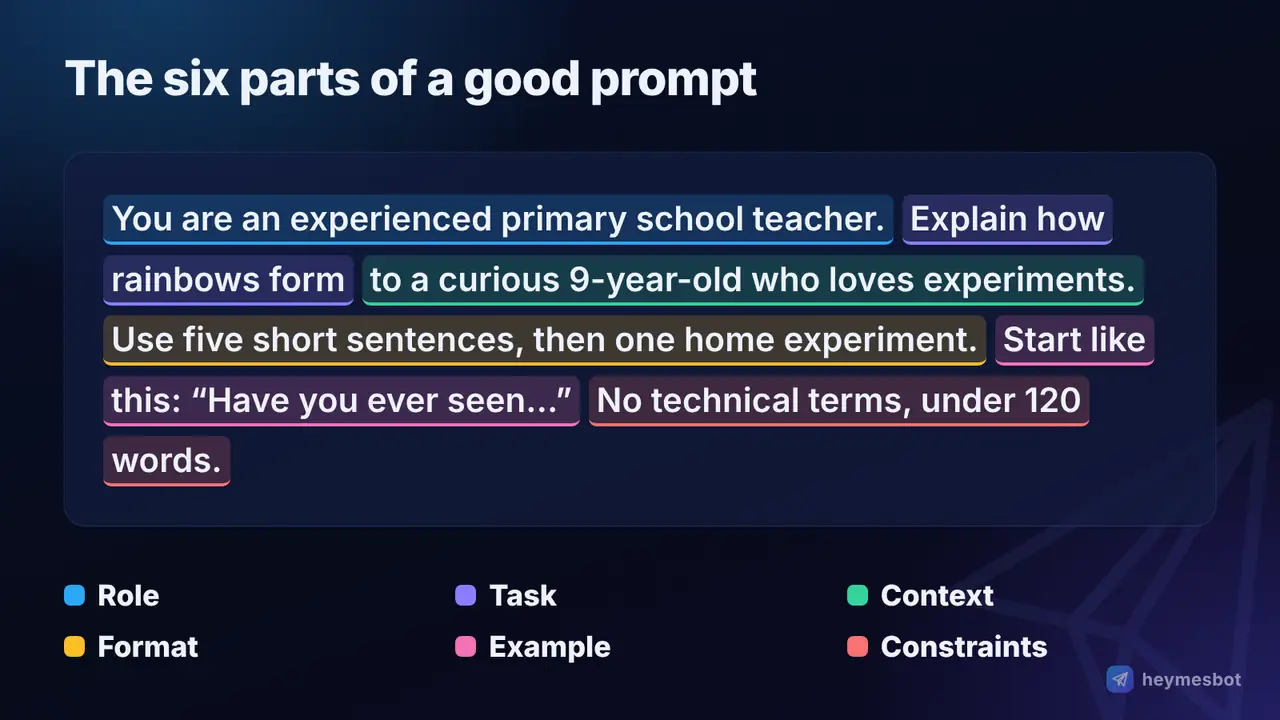
Almost every strong prompt is built from some combination of six parts. You rarely need all six, but checking them is the fastest way to spot what's missing.
| Building block | Question it answers | Example |
|---|---|---|
| Role | Who should the AI act as? | "You are an experienced primary school teacher." |
| Task | What exactly should it do? | "Explain how rainbows form." |
| Context | What background does it need? | "For a curious 9-year-old who loves experiments." |
| Format | What should the answer look like? | "Five short sentences, then one home experiment." |
| Examples | What does a good answer look like? | A sample answer in the style you want |
| Constraints | What rules must it follow? | "No technical terms. Under 120 words." |
The task is the only part that is always required, and it should start with a clear verb: write, summarise, compare, translate, list, rewrite, explain. Context is the part people skip most often, and it usually makes the biggest difference: who the result is for, what you've already tried, what it will be used for.
Before and after: one prompt, rewritten
Here is the same request, written twice. The first is how most people start:
Write something about coffee.
The model has to guess everything: length, audience, tone, purpose. You'll get a bland, encyclopedia-style paragraph. Now the rewrite:
You are a copywriter for a small neighbourhood café. Write an Instagram caption announcing our new oat-milk latte. Audience: students from the university nearby. Tone: warm and a little playful. Maximum 40 words, one emoji, and end with a question that invites comments. No hashtags.
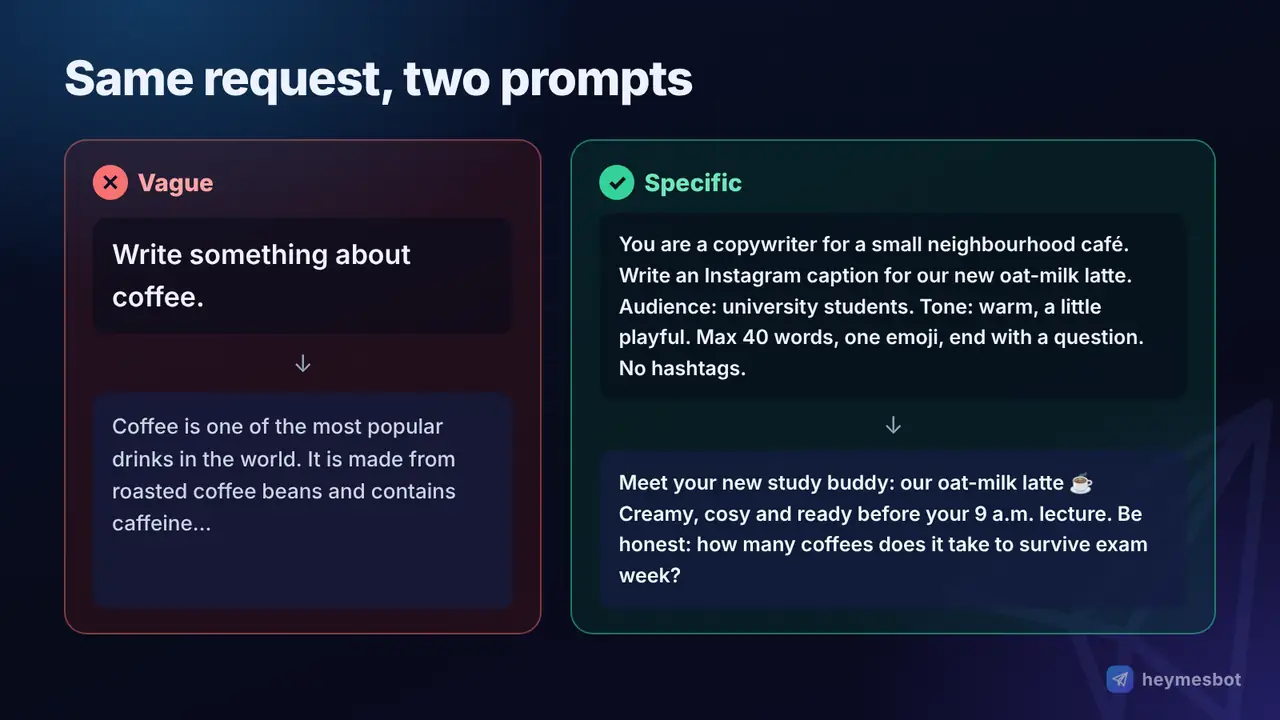
Nothing in the second version is clever or technical. It simply answers the questions the model would otherwise have to guess: role, task, audience, tone, length and rules.
10 prompt techniques that actually work
These techniques come from the official prompting guides published by OpenAI, Google and Anthropic, and from the research behind them. They work in every major chatbot.
1. Be specific and direct
Replace vague words with measurable ones. Instead of "make it short", say "under 100 words". Instead of "a few ideas", say "five ideas". Instead of "make it better", say what "better" means: clearer, more formal, more persuasive, easier for beginners. If you want the model to do more than the minimum, ask for it explicitly.
2. Explain why
Context about your goal helps the model make good decisions you didn't think to specify. Anthropic's guide gives a nice example: instead of only saying "never use ellipses", explain that the text will be read aloud by a text-to-speech engine, which can't pronounce them. The model then also avoids other things a speech engine would stumble over.
3. Show examples (few-shot prompting)
When the format or style matters, an example beats a description. Giving a model a handful of examples is called few-shot prompting; giving none is zero-shot. The landmark GPT-3 paper (Brown et al., 2020) showed that large models can pick up a new task from just a few examples in the prompt, without any retraining.
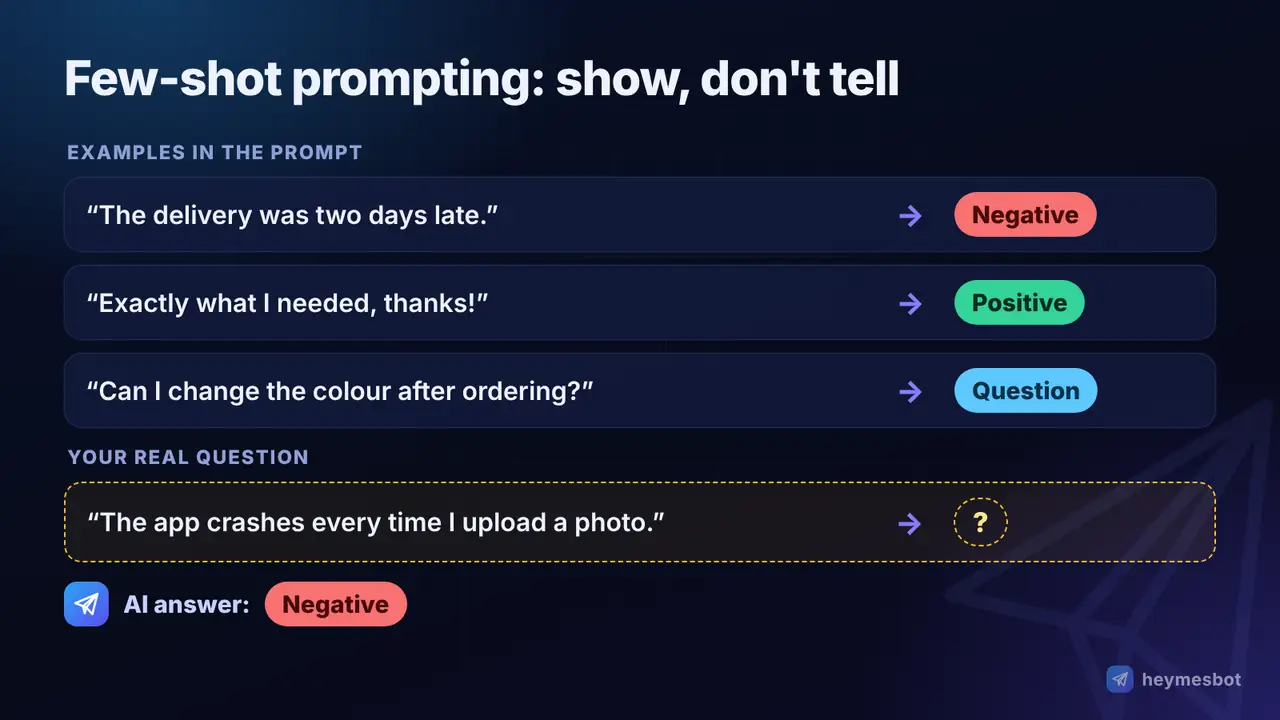
Use examples that are varied enough that the model learns the pattern rather than copying one example word for word. Anthropic recommends three to five for best results.
4. Separate instructions from material
When you paste in an article, an email or data, mark clearly where it starts and ends, for example with triple quotes (""") or labels like "TEXT:" and "END OF TEXT". This stops the model from confusing the material with your instructions, and it makes long prompts much easier for you to edit.
5. Ask for a specific format
Tell the model exactly what shape the answer should take: a table with named columns, a numbered list, three bullet points, a 150-word paragraph, a JSON object, an email with a subject line. Format requests are among the easiest wins in prompt writing, and they make answers far easier to reuse.
6. Say what to do, not only what to avoid
"Don't be too formal" leaves the model guessing what you do want. "Write in a friendly, conversational tone, as if to a colleague" gives it a target. Positive instructions are followed more reliably than lists of prohibitions.
7. Give it room to reason
For maths, logic and multi-step problems, asking the model to work through the problem before giving the final answer improves accuracy. This is called chain-of-thought prompting (Wei et al., 2022); even the simple phrase "Let's think step by step" helped earlier models noticeably (Kojima et al., 2022).
Today's reasoning models (the "thinking" modes in ChatGPT, Gemini and Claude) already do this internally. With them, a clear description of the goal and of what a good answer looks like works better than dictating every step.
8. Break big tasks into steps
One giant prompt asking for research, an outline, a draft and a final edit all at once usually produces a mediocre result. Split it: first ask for an outline, review it, then ask for each section. Feeding the output of one prompt into the next is called prompt chaining, and it gives you a checkpoint at every stage.
9. Put long material first and the question last
When you paste a long document, place it at the top and your question at the end. Research on long inputs (Liu et al., 2023, "Lost in the Middle") found that models use information at the start and end of a long context more reliably than information buried in the middle. For factual work, also ask the model to quote the passages it based its answer on.
10. Iterate: the first answer is a draft
Prompt engineering is a conversation. If the answer isn't right, don't start over; say exactly what to change: "Shorter", "More concrete examples", "Less formal", "Keep paragraph two, rewrite the rest". Google's Gemini guide recommends the same: rephrase, try an equivalent task, or change the order of the prompt's parts when results miss.
Prompt frameworks: easy ways to remember the structure
Several acronyms circulate online to help you remember what to include. They are memory aids, not magic formulas, but they're useful checklists:
RTF: Role, Task, Format. Good for quick everyday prompts.
CO-STAR: Context, Objective, Style, Tone, Audience, Response format. Good for writing and marketing tasks.
Six building blocks (from this guide): Role, Task, Context, Format, Examples, Constraints. Covers almost everything.
Pick one and use it until it becomes a habit; after a few weeks you'll include the right details without thinking about it.
How to write prompts for images, video and music
Image, video and music generators read prompts differently from chatbots. They don't need politeness or explanations; they need a precise description of what should be seen or heard.
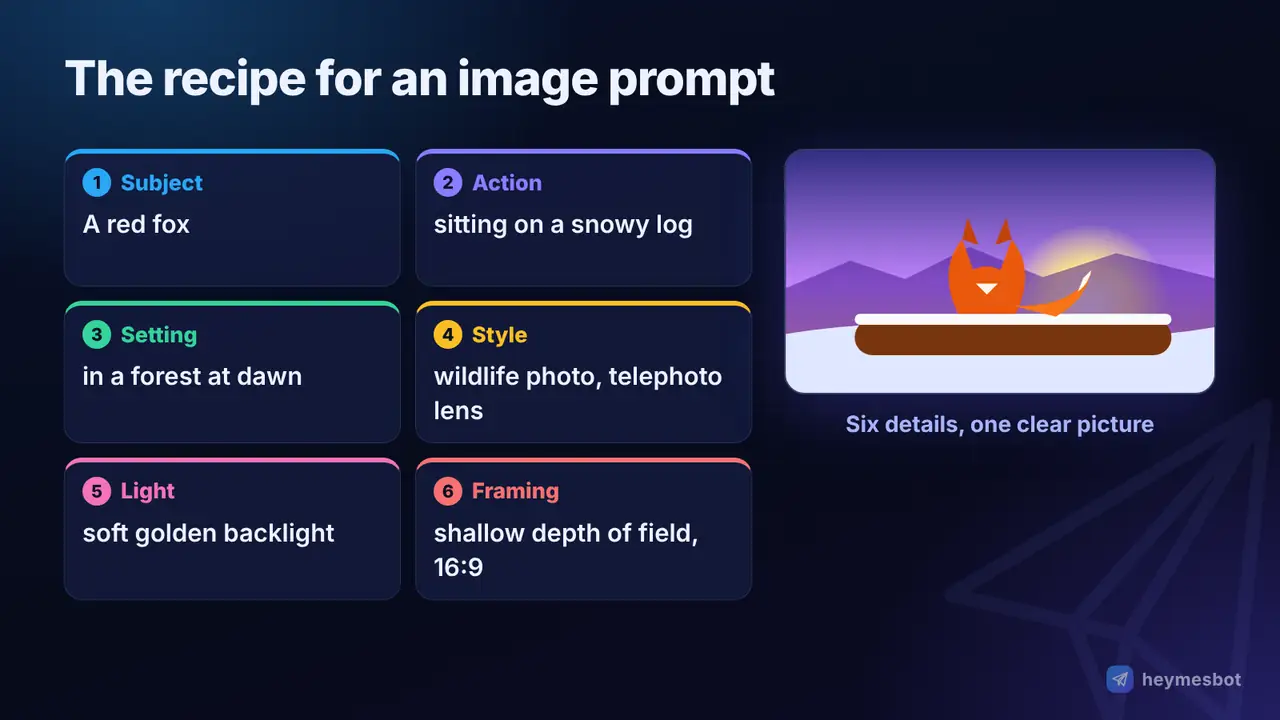
Images. Describe, in roughly this order: the subject, what it is doing, the setting, the style (photo, watercolour, 3D render, flat illustration), the lighting and the framing (close-up, wide shot, aspect ratio). For example:
A red fox sitting on a snowy log at dawn, soft golden backlight, shallow depth of field, wildlife photography with a telephoto lens, calm mood, 16:9.
Editing a photo. Say clearly what should change and what must stay the same: "Replace the background with a beach at sunset; keep the person's face, clothes and pose exactly as they are."
Video. Start with an image-style description, then add motion and camera: what moves, how fast, and how the camera behaves ("slow push-in", "handheld tracking shot", "static wide shot"). Keep it to one clear scene per clip.
Music. Describe genre, mood, tempo, instruments and vocals (language, male or female voice, or instrumental). Instead of naming a real artist, describe their style: many services refuse requests to imitate a real singer's voice, and a description gets you closer anyway.
Upbeat indie pop, 120 BPM, bright electric guitars and handclaps, female vocals in English, summery and nostalgic, catchy chorus.
Ready-to-use prompt templates
Copy these, replace the parts in brackets, and adjust from there.
Summarise a long text
Summarise the text below for [a busy manager]. Give me [five] bullet points with the key facts, then one sentence on what action, if any, is needed. Text: """[paste text]"""
Write an email
Write an email to [my landlord] asking [to fix the heating this week]. Tone: [polite but firm]. Under [120] words, with a clear subject line.
Learn a new topic
Explain [how interest rates affect inflation] to someone with [no economics background]. Use one everyday analogy, then check my understanding with three short questions.
Compare options
Compare [three budget laptops for students] in a table with columns for [price, battery life, weight, pros and cons]. Then recommend one for [a student who travels a lot] and explain why.
Improve your own writing
Edit the text below for clarity and grammar. Keep my voice and meaning; don't add new ideas. Then list the three most important changes you made. Text: """[paste text]"""
Plan something
Create a [3-day] plan for [learning the basics of photo editing], [one hour] per day. Format: a table with day, goal, exercise and a free resource to use.
8 common prompt mistakes (and how to fix them)
Too vague. "Help me with marketing" → say what product, which channel, what goal.
No audience. The same explanation for a child and an expert should look completely different. Say who it's for.
No format. If you need a table, a list or a word limit, ask for it.
Too many tasks at once. Split big jobs into a chain of smaller prompts.
Contradictory rules. "Be detailed but very short" forces the model to guess. Decide which matters more.
Giving up after one try. Refine the answer instead of starting over.
Trusting every fact. Models can produce confident but false statements, known as hallucinations (see our AI glossary). Check important numbers, names and quotes.
Pasting private data. Treat a chatbot like a third-party service; see the next section.
Safety, privacy and limits
Don't share secrets. Never paste passwords, card numbers, ID documents or other people's personal data into a prompt. Remove names and numbers from documents you need help with.
Verify what matters. For health, legal, financial or academic questions, use the AI as a starting point and check against reliable sources or a professional.
Be careful with pasted content. Text from a web page, email or document can contain hidden instructions aimed at the AI, a technique called prompt injection. OWASP ranks it first in its Top 10 risks for LLM applications. Read results critically, especially when an AI tool reads web pages or files for you.
A better prompt can't fix everything. If a model lacks up-to-date information or a capability, no wording will create it. Use a tool with web search for recent events, and a specialised tool for specialised jobs.
Where to practise
The best way to learn is to take a real task from your day and try the techniques above on it. ChatGPT, Gemini and Claude all have free tiers on the web and in their apps, and separate tools exist for images, video and music. If you'd rather have chat, image creation and editing, video, voice and music in one place inside Telegram, heymesbot offers them with no monthly subscription, paying only for what you use.
Whichever tool you choose, keep a note of prompts that worked well. A small personal library of tested prompts saves more time than any trick.
The bottom line
There's no secret phrase that unlocks AI. Good prompts are simply good briefs: they say who, what, for whom, why and in what shape, and they show an example when it matters. Write the way you'd brief a smart colleague, treat the first answer as a draft, and you'll get better results from every AI tool you use.
Sources
Wei et al. (2022): Chain-of-Thought Prompting Elicits Reasoning in Large Language Models
Kojima et al. (2022): Large Language Models are Zero-Shot Reasoners
Liu et al. (2023): Lost in the Middle: How Language Models Use Long Contexts
Schulhoff et al. (2024): The Prompt Report: A Systematic Survey of Prompting Techniques
Comments
No comments yet. Be the first to share a thought.
Leave a comment
Comments are reviewed before they appear. Please keep it relevant and kind.