How to Buy Gram (Ex-Toncoin) and Top Up heymesbot: Step-by-Step Guide 2026
Topping up heymesbot takes three things: buy Gram, send it on the TON network with your personal memo, and wait a minute or two. This guide walks through every step, from choosing where to buy to confirming the deposit.
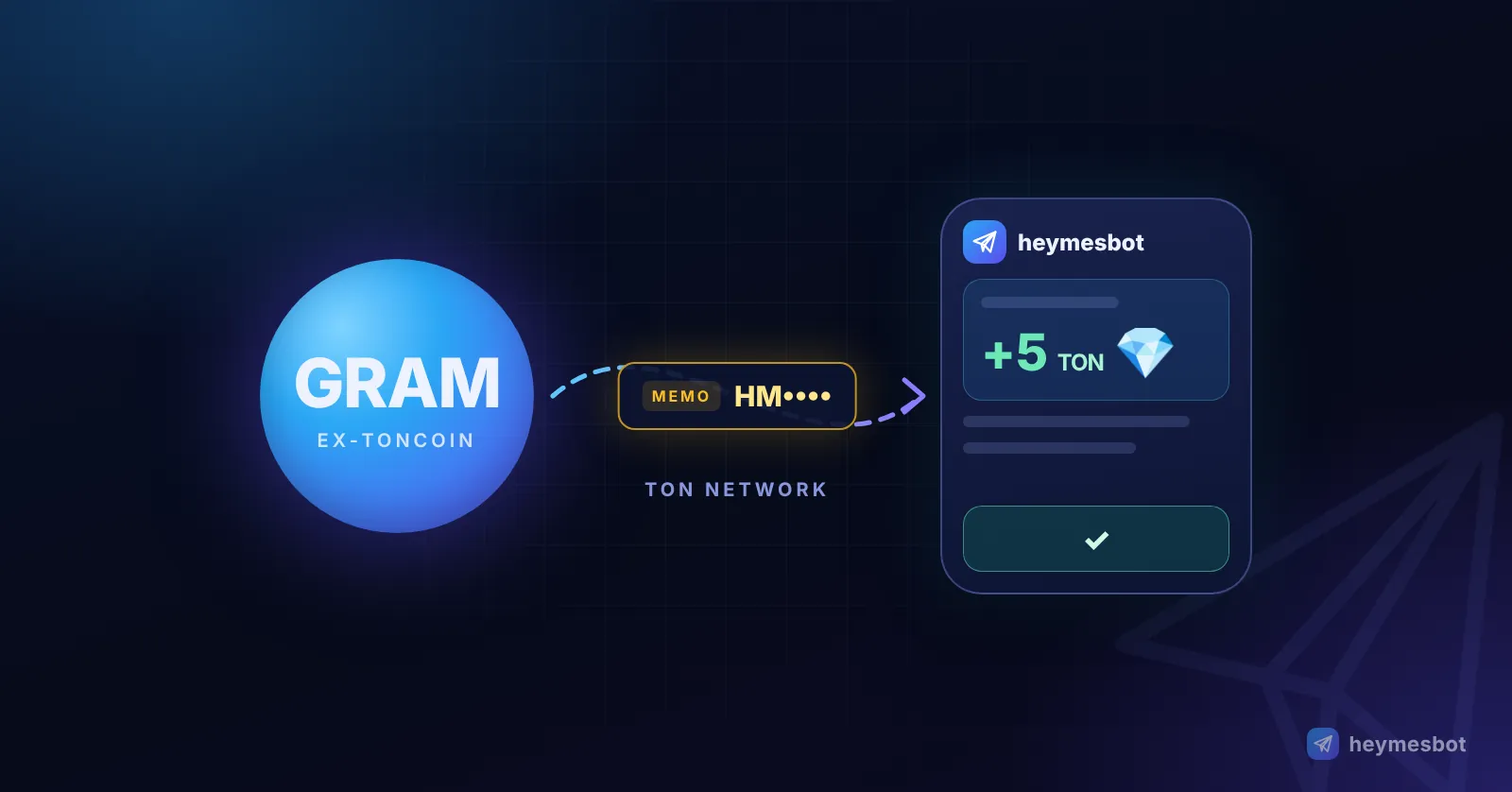
Short answer: topping up heymesbot takes three steps. Buy Gram (GRAM, formerly Toncoin), send it on the TON network to the address the bot shows you, and put your personal memo in the comment field. A minute or two later your balance is credited automatically and the bot lets you know.
Many apps still label Gram as "TON". It is the same coin. If you missed the rename, read our complete guide to Toncoin becoming Gram first.
The whole process at a glance
Where to buy: Walt inside Telegram, or a major exchange such as Binance, KuCoin, Bitvavo or Bitso
Which network: TON only. Never BEP20 or any other chain
The one thing not to skip: your personal memo (comment), which starts with HM, copied from the bot
Network fee: a fraction of a cent; the real fee is your exchange's or wallet's withdrawal fee
Time to credit: usually a minute or two after sending
Before you start: three things to know
1. Gram is Toncoin. On June 15, 2026 the TON network's native coin was renamed from Toncoin (TON) to Gram (GRAM), with no swap or migration. Exchanges may list it as "GRAM", "Gram" or "Gram (prev. Toncoin)".
2. The network is still called TON. The coin changed its name; the blockchain did not. When you withdraw, pick "TON" or "The Open Network" as the network.
3. The memo identifies you. All heymesbot users deposit to one shared address. The bot uses the memo, and only the memo, to know which account a payment belongs to. Without it, the money arrives but has no owner attached.
Step 1: Get your address and memo from the bot
Open heymesbot and tap Wallet. The screen shows three things:
your current balance;
the Destination Address: heymesbot's deposit address on the TON network;
the Memo: your personal code, starting with HM.
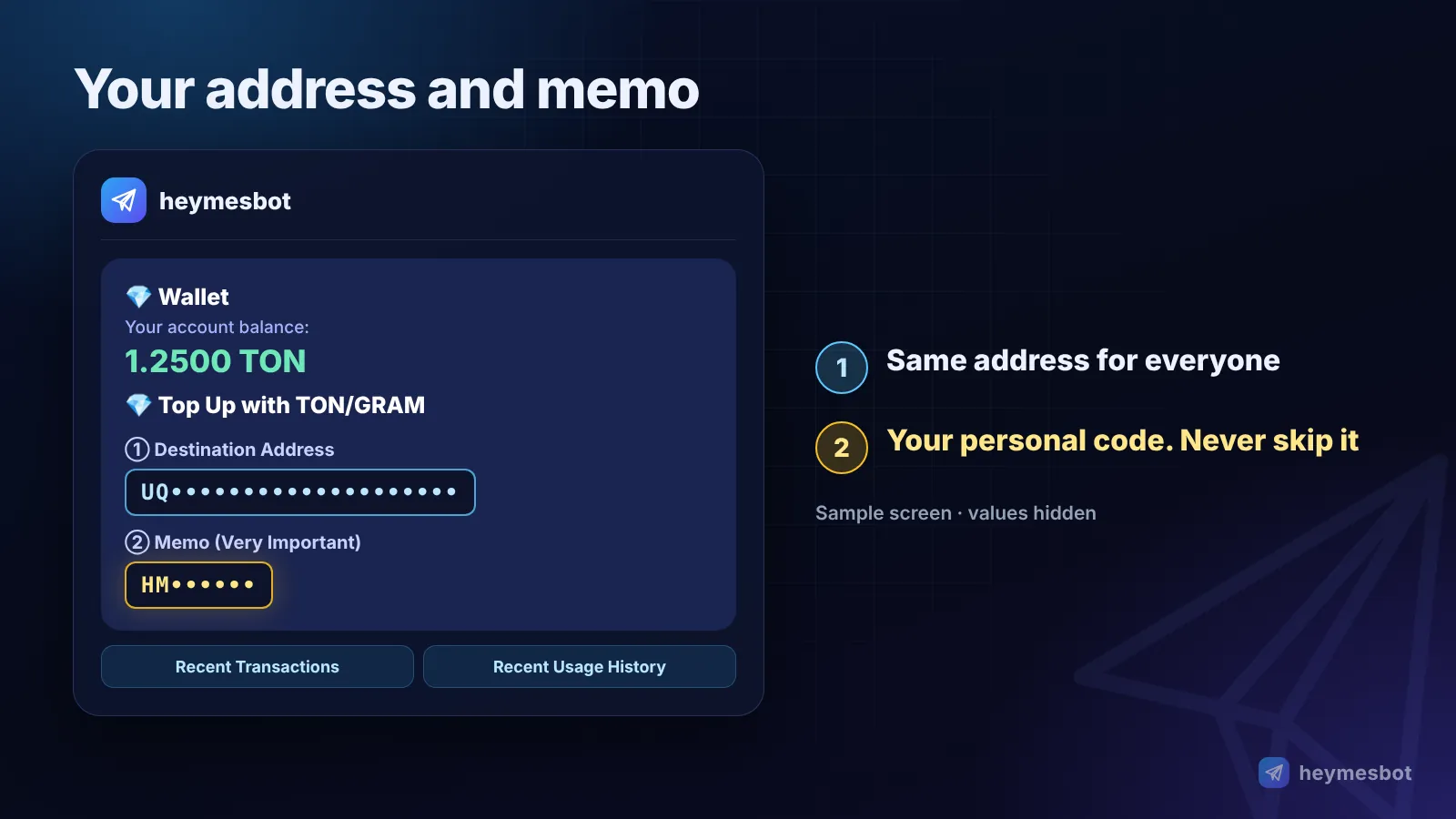
Tap the address and the memo to copy them. Your memo is permanent, the same for every future deposit, but copy it from the bot each time anyway. Never take the address from a screenshot, a channel or a forwarded message.
Step 2: Buy Gram the way that suits you
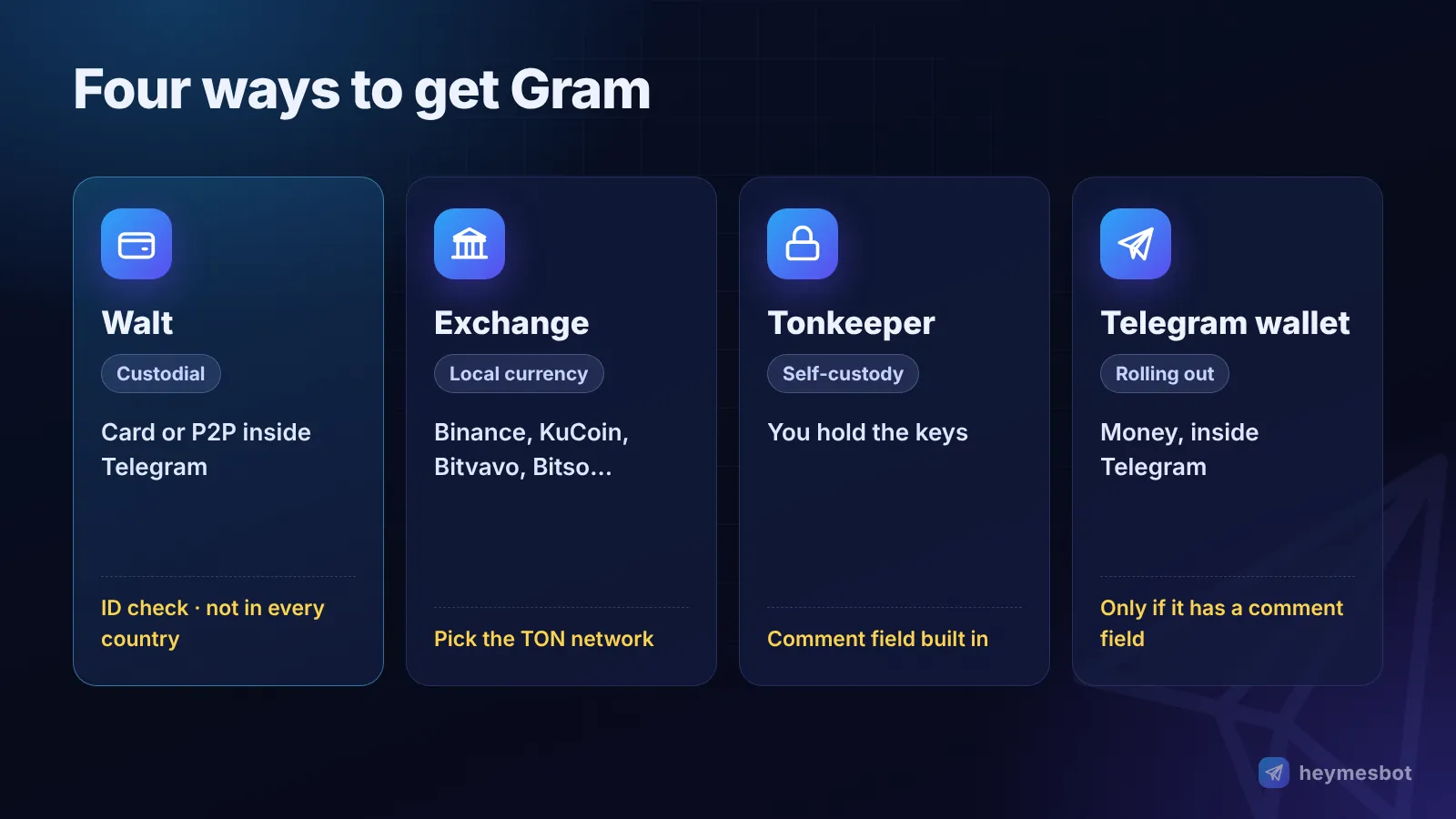
| Route | Best for | Sends a memo? | Keep in mind |
|---|---|---|---|
| Walt (formerly Wallet in Telegram) | Buying inside Telegram | Yes | Custodial, identity check required, not available in every country |
| Exchange (Binance, KuCoin, Bitvavo, Bitso…) | Larger amounts, local currency | Yes, if the withdrawal form has a memo field | Withdrawal fees and minimums vary |
| Self-custody wallet (e.g. Tonkeeper) | Reliable sending with a comment | Yes, the Comment field | You alone hold the keys and the 24 recovery words |
| Telegram's built-in wallet (Money) | Accounts that already have it | Only if it offers a comment field | Still rolling out gradually |
The exchanges above are examples that list GRAM, not endorsements. Pick one that is licensed where you live.
Buy with Walt inside Telegram
Walt is the former "Wallet" service inside Telegram, renamed on September 28, 2026. Find it through Telegram search, tap Deposit, and buy Gram with a bank card or on the P2P market. Walt is custodial (its operator holds the keys) and requires identity verification. Under its terms, it is not available to residents of some countries, including the United States and Iran.
Buy on an exchange
Create an account and complete verification.
Deposit your local currency.
Buy GRAM. Buy slightly more than you need so the withdrawal fee is covered.
Go to Withdraw and follow Step 3 below.
Use a self-custody wallet: Tonkeeper
Tonkeeper is non-custodial: only you hold the keys. It is the safest route when your exchange's withdrawal form has no memo field. Withdraw to Tonkeeper first, then send to heymesbot with a comment. Write your 24 recovery words on paper and never share them with anyone, including "support".
Step 3: Send Gram to heymesbot with your memo
Every wallet and exchange uses the same three fields: recipient address, amount, and comment or memo. Paste the address and the memo you copied from the bot.
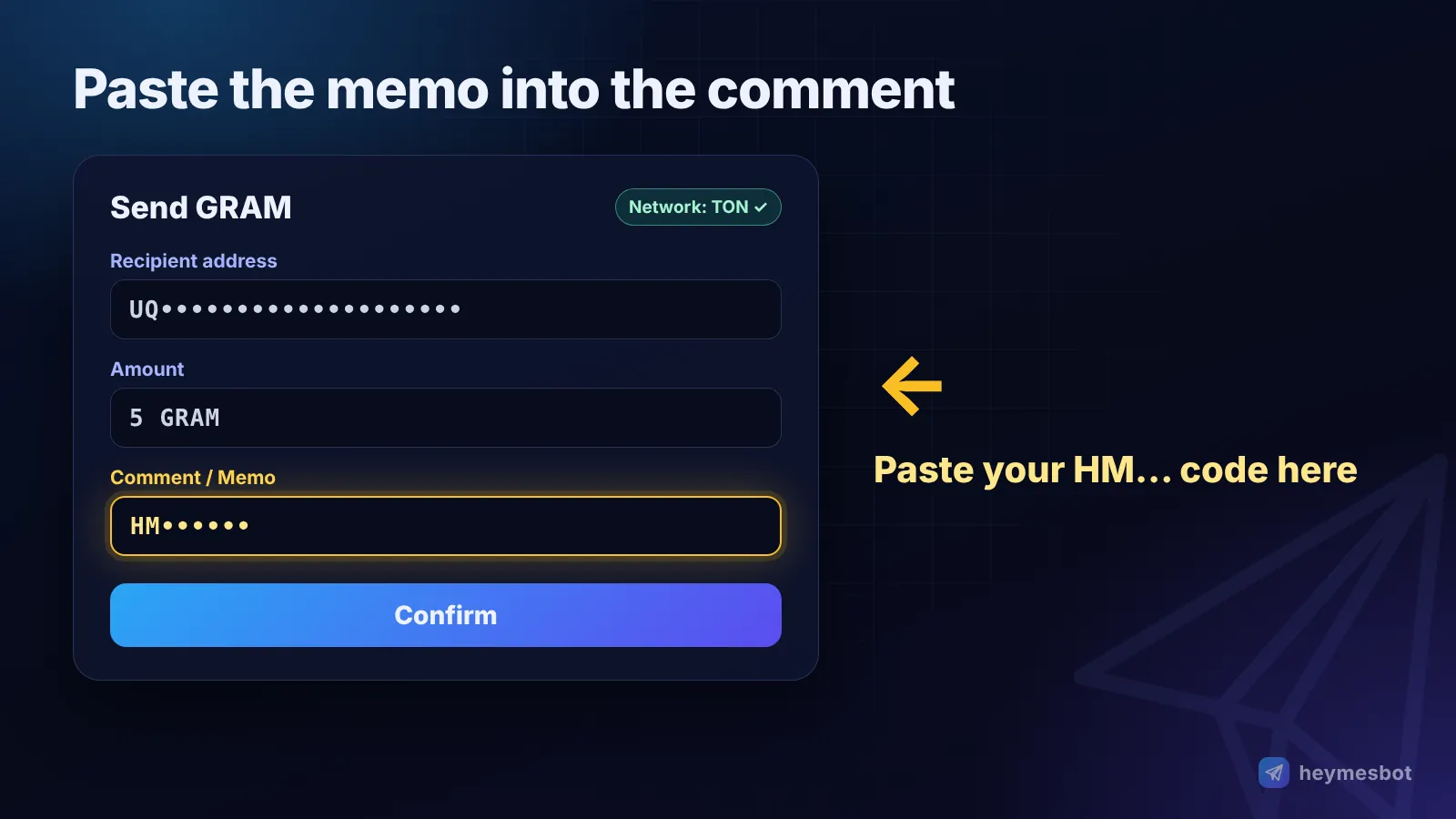
From Tonkeeper
Tap Send and choose GRAM.
Paste heymesbot's destination address as the recipient.
Paste your memo (HM…) into the Comment field.
Enter the amount, review the summary and confirm.
From an exchange
In Withdraw, choose GRAM.
Select the TON network. Ignore options like BEP20 or ERC20.
Paste the address, then paste the memo into the Memo / Tag / Comment field.
Confirm the withdrawal.
If the withdrawal form has no memo field, do not send to heymesbot directly. Withdraw to your own wallet such as Tonkeeper first, then send from there with the comment.
From Walt: Withdraw → External wallet or exchange → GRAM. Enter the address and put the memo in the comment (tag/memo) field.
Before you confirm, compare the last four characters of the address and the whole memo with the bot. Blockchain transfers cannot be reversed.
Step 4: Confirm the top-up
The bot checks for new deposits every minute. Usually within a minute or two you receive a message like "+5 TON 💎 added to your wallet." with your new balance, and you can start generating images, videos or music straight away.
No message?
Has the exchange actually sent it? Check the withdrawal status. Some exchanges delay or review withdrawals.
Is it on-chain? Search the transaction hash on Tonviewer. A successful status and a Comment line showing your memo mean everything is fine.
Missing or wrong memo? Send the transaction hash to heymesbot support and the deposit can be credited manually.
Your deposit history is always under Wallet → Recent transactions.
What does a top-up cost?
The TON network fee itself is tiny. In recorded samples a transfer cost between 0.0003 and 0.002 Gram, a fraction of a cent. Most of what you pay is the sender's fee:
| Sending from | Who charges | Roughly |
|---|---|---|
| Tonkeeper | The TON network only | Under 0.01 Gram |
| Walt | Walt's withdrawal fee | 0.05 Gram per withdrawal |
| An exchange | The exchange's withdrawal fee | Varies; shown on the withdrawal page |
Withdrawal fees are usually deducted from the amount you send. If you want exactly 5 Gram to arrive, send a little more.
How much should I top up?
heymesbot has no subscription. You only pay for what you use, and every image, video, voice or chat message is priced individually. See the pricing page for current rates. One or two Gram is plenty to try images, voice and chat. Video costs more and needs a larger balance to start.
Five common mistakes and how to avoid them
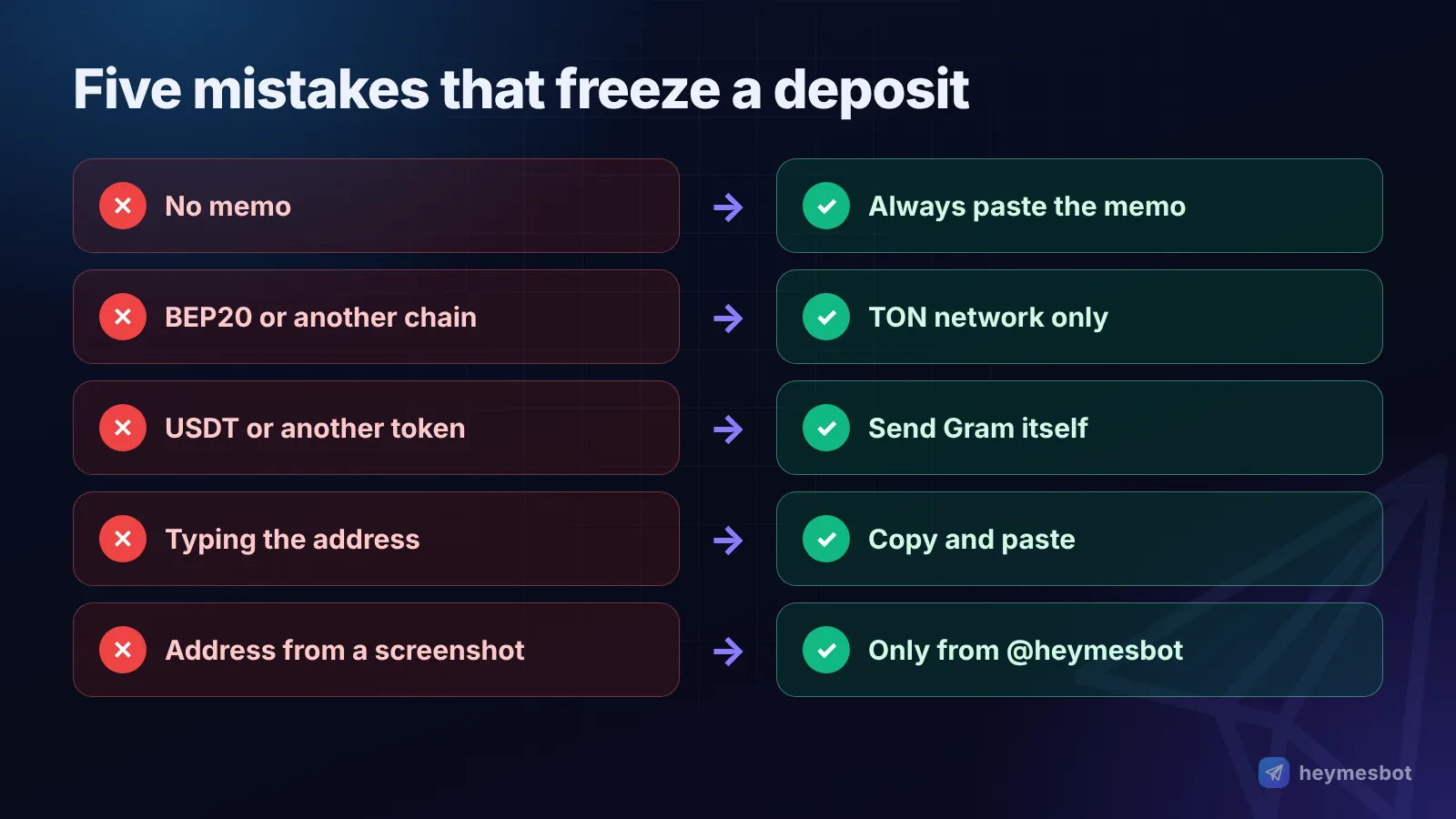
No memo. The money arrives but isn't linked to any account. Always copy and paste the memo.
Wrong network. Gram sent over BEP20 or another chain will not reach a TON address and may be lost. TON only.
Wrong token. USDT or any other token on TON is not credited automatically. Send Gram itself.
Typing instead of pasting. One wrong character means the wrong account. Copy, don't type.
An address from anywhere else. Take the address and memo only from the official @heymesbot. heymesbot will never DM you asking you to send money to an address.
Security in one paragraph
No genuine bot, exchange or support agent will ever ask for your 24 recovery words. There is no Toncoin-to-Gram "migration" or "swap", and anyone offering one is running a scam. For long-term holding, a non-custodial wallet is safer than leaving funds on an exchange. Gram's price moves like any crypto asset, and this guide is not financial advice.
The bottom line
Buy Gram from the exchange or wallet that suits you. Send it on the TON network, with your personal memo, to the address the bot shows. Wait a minute or two. That's it, and if anything gets stuck, the transaction hash makes it traceable.
Ready? Open heymesbot in Telegram, tap Wallet and make your first top-up.
Comments
No comments yet. Be the first to share a thought.
Leave a comment
Comments are reviewed before they appear. Please keep it relevant and kind.